- Whitespark Local Insider
- Posts
- How to increase driving directions to your business
How to increase driving directions to your business
and more local SEO tips
Hello 👋
You wanted local SEO tips? Here you go 👇️
1. Local SEO hack you need to know
According to Google, your videos should meet the following requirements:
Max length: 30 seconds
Max file size: 75 MB
But I just uploaded a 1-minute and 50-seconds long video, and Google accepted it. Why? Because it was under 75 MB.
The real limiter is actually the file size, not the length of the video. If your video is under 75 MB, Google will accept it, even if it’s longer than 30 seconds.
Though, I once tried to upload a 20x20 pixel version of “10 hour epic sax guy” from YouTube (IYKYK), and it didn’t work, so I guess there is some limit 😅
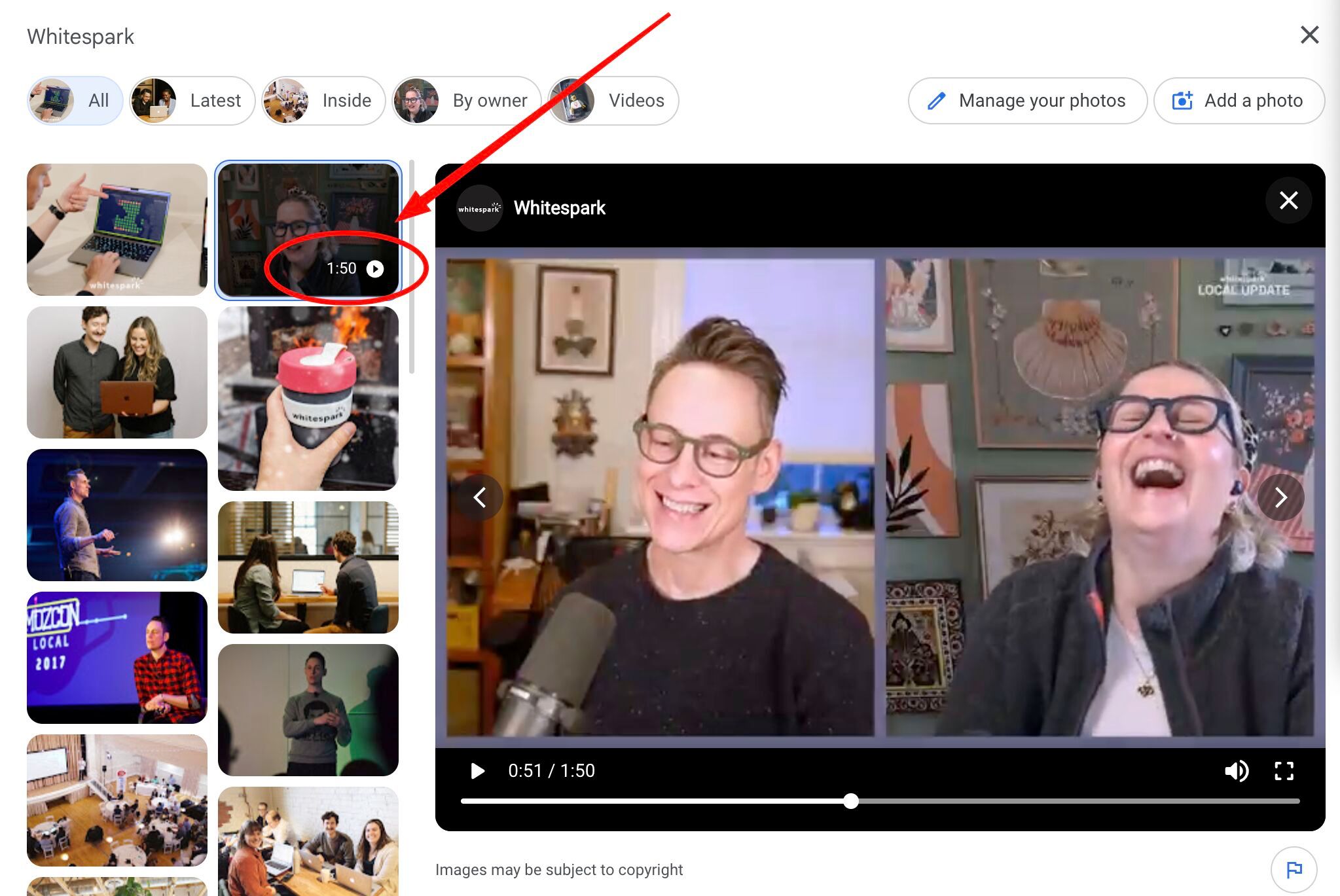
Watch how I did it on Instagram.
2. How to increase driving directions to your business
There’s a wild black-hat SEO case study where Holly Starks put 100 cell phones in her car, turned on driving directions to a business, and that business jumped to #1 in the Local Pack.
Obviously you’re not going to do that, but driving directions will boost your rankings, so here’s how you can get more of them without driving around with 100 cell phones in your car:
Google your business name.
In the Knowledge Panel, click on “Directions”.
When the map opens, copy the URL from the address bar. That link is a direct driving directions link from the user’s location to your business.
Use the link and send it to your customers:
- Add it to appointment reminder emails/text messages
- Put it clearly on your website’s contact page
- If you’re hosting an event, send it out in email and text campaigns
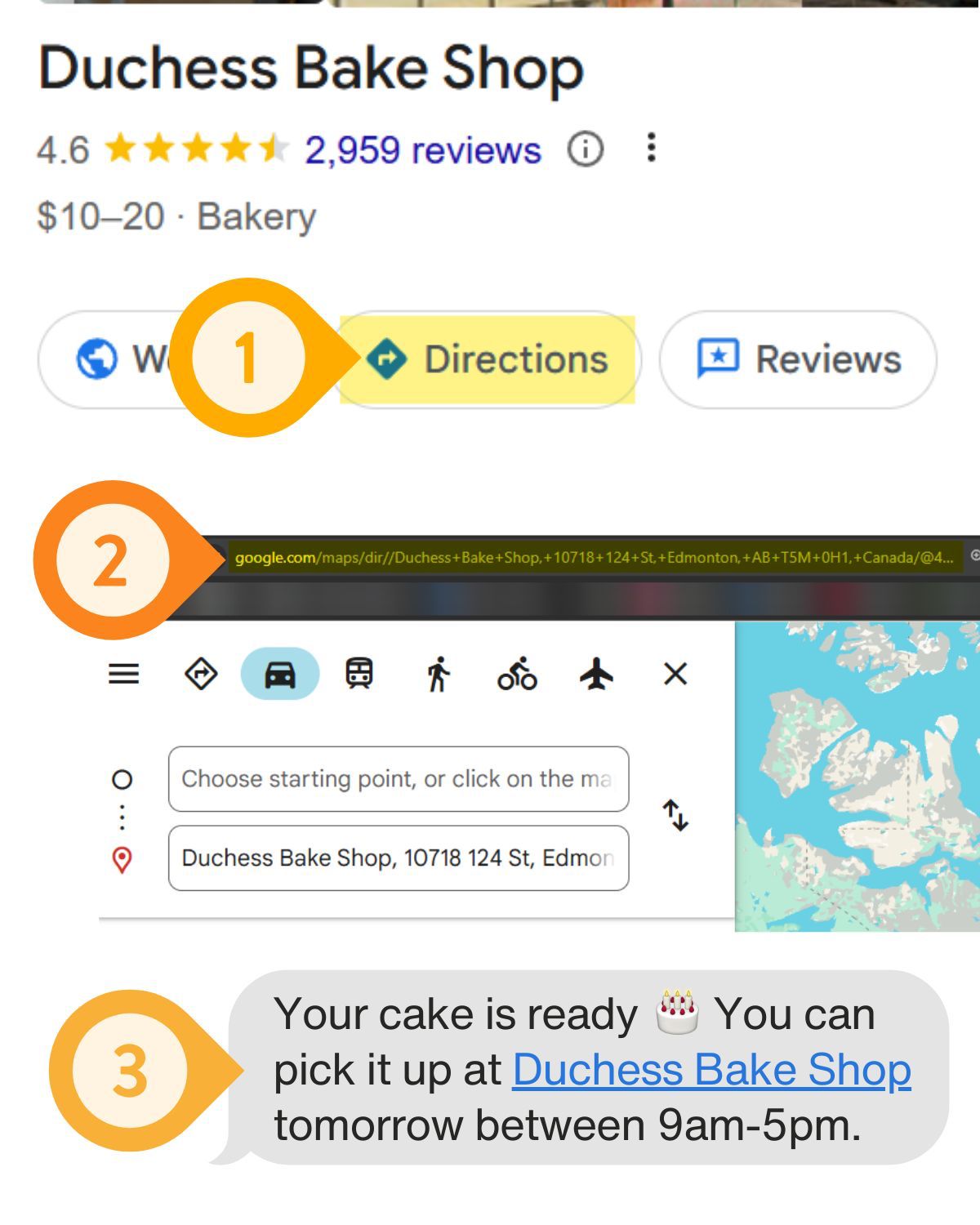
If you’re getting people to physically visit your location anyway, you might as well encourage them to use the directions link.
More direction requests = stronger engagement signals = better local rankings
Got any other ideas of where you could use this link? Tell me on LinkedIn.
3. Most businesses are missing a huge opportunity with their Google Posts
They add photos to their Posts instead of videos.
Videos stand out way more in the Google Posts feed, communicate more information in less time, and feel more authentic to potential customers.
Sure, recording videos takes a bit more effort than just taking a picture, but it doesn’t have to be complicated. Just record a short clip inside your business:
Have the owner or a team member talk about a current offer.
Show what’s new.
Show your space.
Show a product.
Show how you perform a service.
And if you or your clients don’t like being on camera, you can make some flashy videos easy-peasy with a tool like Canva.
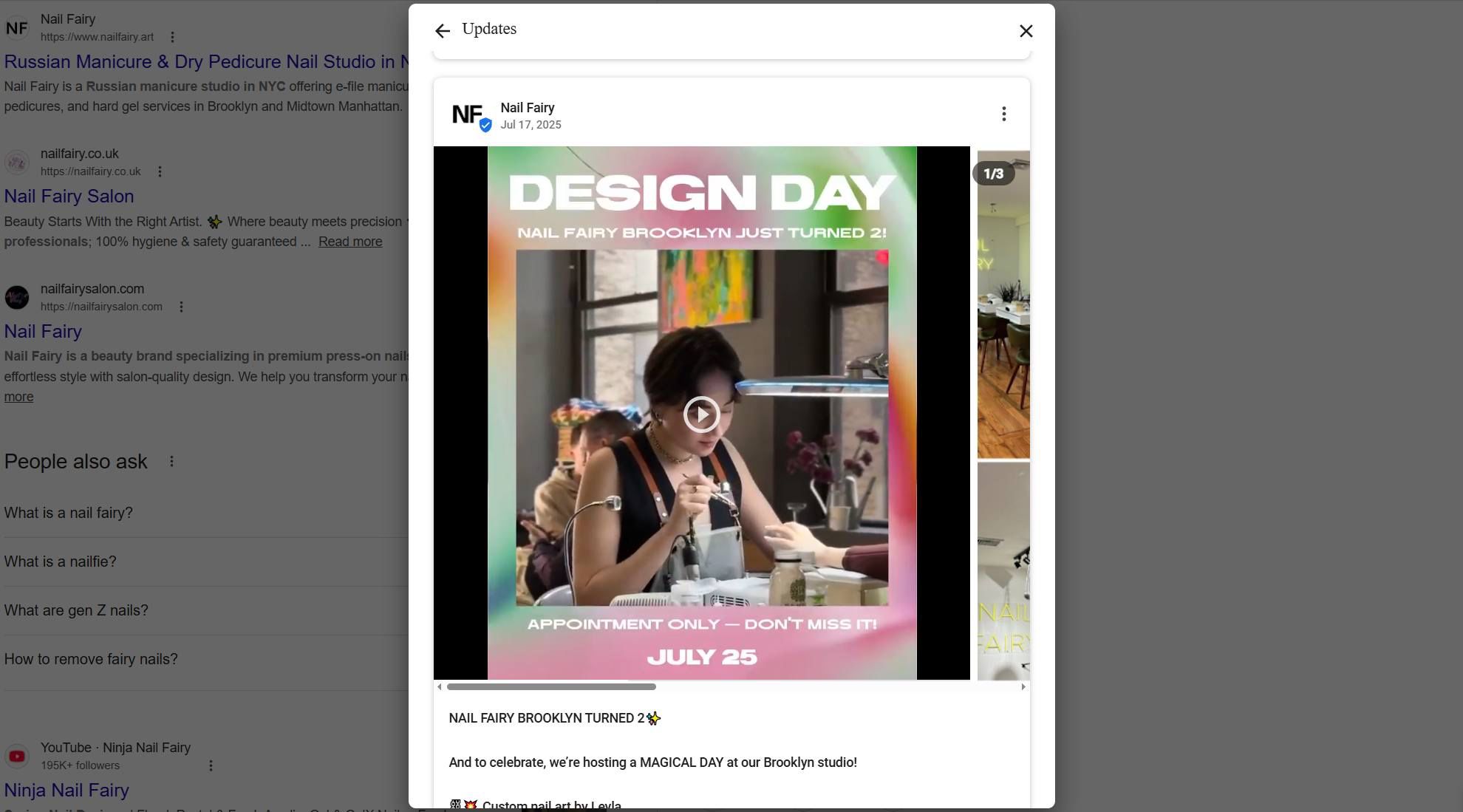
What kind of videos do you use on your GBP? Let me know on Facebook!
4. Catch up on the pod
Google is now literally telling you what to add/fix on your Google Business Profile.
Have you seen this new “Insights” section on your Profile? 👇️
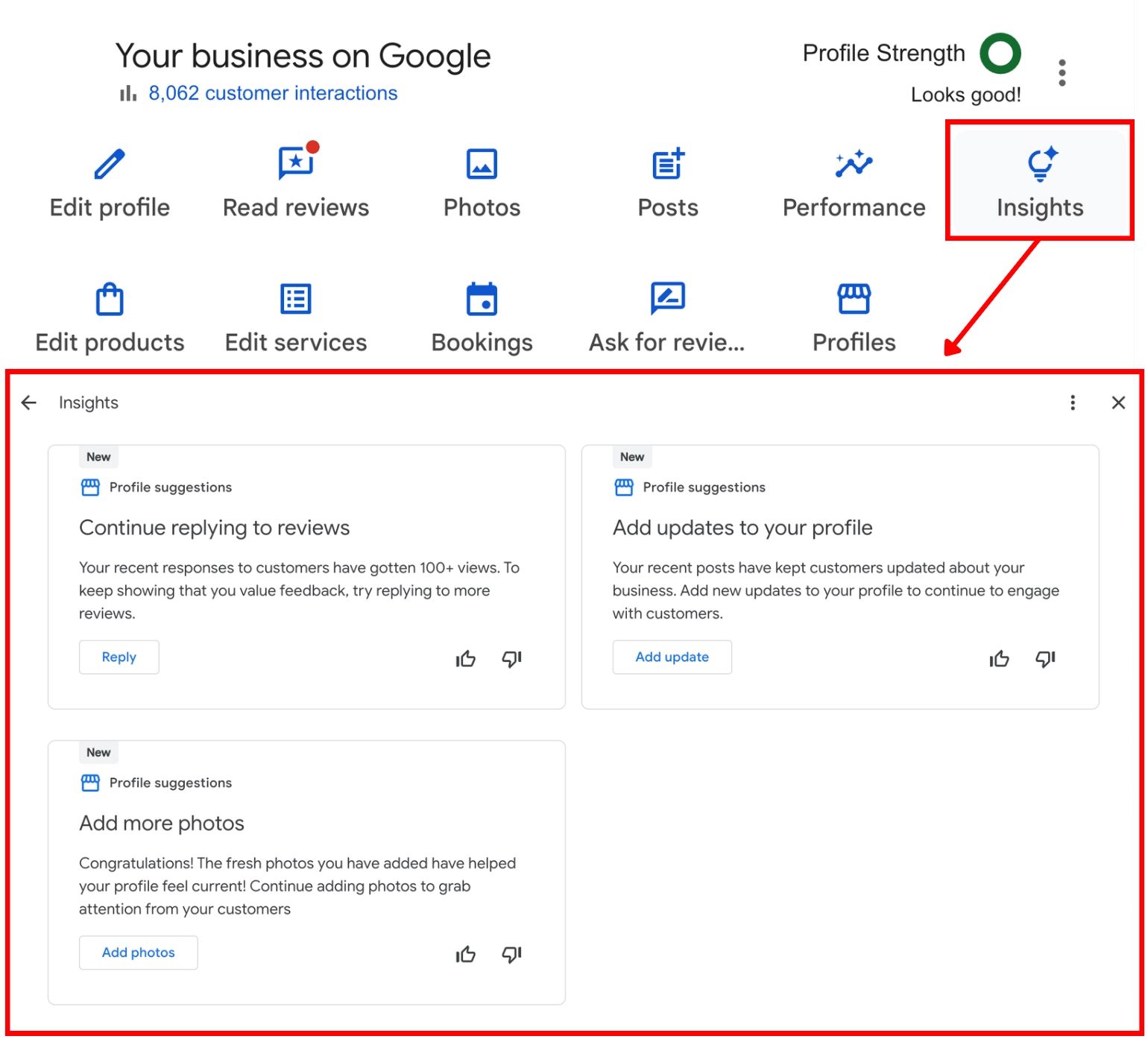
Google is clearly pushing businesses to complete and keep their Profiles fresh.
The more data you give them, the better they can understand your business, surface you in the right searches, and present you to potential customers. And yes… that data is also training their AI.
Claire and I discussed this in last week’s episode of the Whitespark Local Update. We also talked about:
Google reviews bug on Chrome (Vinay Toshniwal)
AI isn’t replacing local search (Crystal Carter on the NearMemo podcast)
How to improve LSA visibility (Eric Levine on the NearMemo podcast)
Misinformation about chunking (Michael King)
User satisfaction is the most important factor in SEO (Marie Haynes)
Schema and AI visibility (Mark Williams-Cook)
Watch the full episode 👇️
🎧 Or if you prefer listening, find it on Apple Podcasts and Spotify.
 | The only geo-grid rank tracker that tracks to 💯Get a better view of the competition and a clearer picture of your visibility, with industry-leading ranking granularity. |
Darren
P.S. Whitespark can help you ⬇️
😍 Visualize your local search performance on the most beautiful ranking grids
🚨 Get notified when Google updates your GBP and reject unwanted changes
🚀 Increase your local rankings and conversions
📈 Track rankings across different zip/post-codes
⭐️ Get more reviews
🧹 Clean up and build citations
🔍 Find citation opportunities
Follow me on these platforms for all my local SEO tips: